- Demystifying Smart ERP POS Systems: Essential Features and Benefits
- Core Components of a Smart ERP POS: A Deep Dive into Functionality
- Implementing a Smart ERP POS: A Step-by-Step Guide for Retailers
- Integrating Smart ERP POS with Existing Retail Systems and Technologies
- Advanced Strategies for Optimizing Your Smart ERP POS for Growth
- Troubleshooting and Best Practices for a Seamless Smart ERP POS Experience
Demystifying Smart ERP POS Systems: Essential Features and Benefits
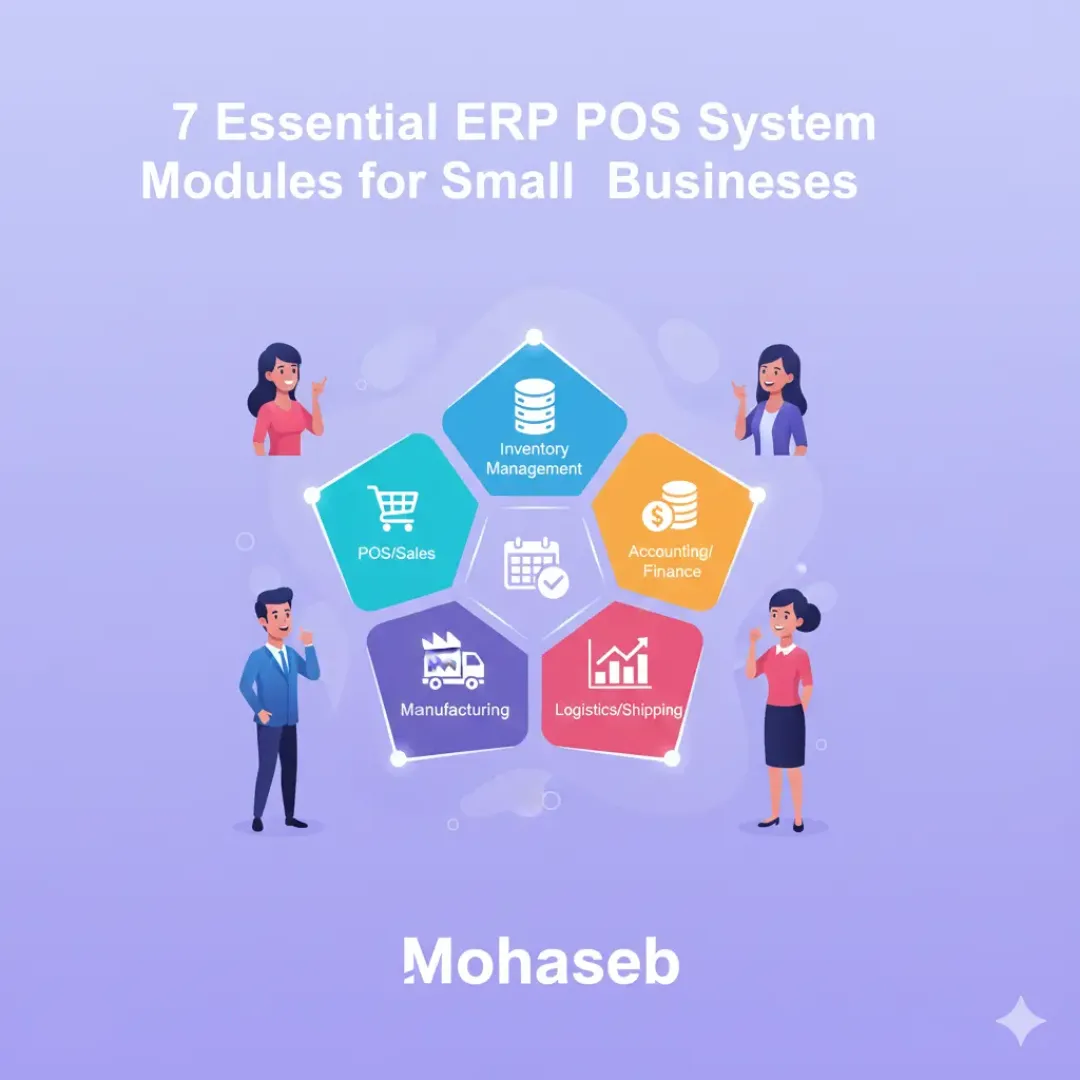
An Enterprise Resource Planning (ERP) Point of Sale (POS) system represents a significant upgrade from traditional, standalone POS solutions. It seamlessly integrates sales transactions with other critical business functions, offering a holistic view of operations. For small businesses, understanding the core features and benefits of a smart ERP POS is crucial for growth and efficiency. This section explores some of the most essential modules within a comprehensive ERP POS system and how they empower businesses.
One of the foundational components is inventory management. In a smart ERP POS, this goes far beyond simply tracking stock levels. Real-time inventory updates occur with every sale and purchase, providing an accurate picture of what’s on hand. This prevents stockouts, reduces overstocking, and optimizes ordering processes. Businesses can set up low-stock alerts, track inventory movement across multiple locations (if applicable), and even automate purchase orders based on predefined thresholds. This data-driven approach to inventory control minimizes waste and maximizes profitability.
Moving beyond basic transactions, customer relationship management (CRM) is an indispensable module. A smart ERP POS captures rich customer data – purchase history, preferences, contact information – all in one place. This allows businesses to personalize marketing efforts, offer targeted promotions, and build stronger customer relationships. For instance, a coffee shop using an ERP POS can identify repeat customers who frequently order lattes and send them a special offer on a new flavored syrup. This level of personalization fosters customer loyalty and drives repeat business.
Integrating financial management is another key benefit. The ERP POS module handles sales tax calculations, generates detailed sales reports, and can directly integrate with accounting software. This eliminates manual data entry, reduces errors, and provides real-time financial insights. Businesses can track key performance indicators (KPIs) such as sales trends, profit margins, and customer lifetime value, making informed decisions about pricing, promotions, and overall business strategy. The automation of financial tasks saves valuable time and resources.
Furthermore, a robust ERP POS system often includes reporting and analytics capabilities. These tools provide comprehensive data visualizations and customizable reports on various aspects of the business, including sales performance, inventory levels, customer behavior, and employee productivity. For example, a restaurant owner can analyze which menu items are most popular, identify peak hours, and track employee sales performance. These insights enable data-driven decision-making and continuous improvement. According to industry research, businesses utilizing comprehensive reporting tools are 30% more likely to identify areas for operational optimization.
Employee management streamlines payroll processing, tracks employee hours, and manages permissions within the POS system. This module simplifies administrative tasks, reduces errors in payroll calculations, and provides insights into employee performance. Businesses can track sales performance on an individual employee basis, identify top performers, and allocate tasks effectively. Integrating employee time tracking with sales data offers a view of labor costs associated with different periods and activities.
Beyond these core modules, many smart ERP POS systems offer additional features like loyalty program management, online ordering integration, and multi-channel sales support. These features cater to the evolving needs of modern businesses operating in a dynamic marketplace. For example, a retail store can seamlessly integrate its in-store POS with an online store, providing a unified customer experience. This omnichannel approach is increasingly important for reaching today’s consumers.
The benefits of a smart ERP POS system extend beyond operational efficiency. By providing a holistic view of business data, it empowers small businesses to make more informed decisions, improve customer experiences, and ultimately drive growth. The integration of various modules eliminates data silos, reduces manual effort, and provides a single source of truth for critical business information. This leads to increased productivity, reduced costs, and a stronger competitive advantage. The investment in a smart ERP POS is not merely an upgrade to a sales system; it’s an investment in the future of the business.
Core Components of a Smart ERP POS: A Deep Dive into Functionality
A smart Enterprise Resource Planning (ERP) Point of Sale (POS) system goes far beyond simply processing transactions. It acts as a central nervous system for a small business, integrating various operational functions into a unified platform. Understanding the key components of such a system is crucial for small businesses looking to enhance efficiency, gain valuable insights, and ultimately drive growth. These components work in concert to streamline processes, improve customer experiences, and provide a holistic view of the business.
One of the foundational elements is inventory management. This module provides real-time visibility into stock levels, automating tracking of products as they are sold or received. A smart ERP POS leverages technologies like barcode scanning and RFID to ensure accuracy and minimize manual errors. For example, a retail store can automatically decrement inventory upon each sale, triggering alerts when stock falls below a predetermined threshold. This prevents stockouts, optimizes ordering, and reduces the risk of lost sales. Furthermore, advanced features within inventory management may include lot tracking, serial number management, and even demand forecasting, informed by historical sales data.
Beyond inventory, customer relationship management (CRM) is a critical component. A robust CRM module stores and organizes customer data – purchase history, contact information, preferences – creating a comprehensive profile for each client. This allows businesses to personalize interactions, target marketing efforts more effectively, and build stronger customer loyalty. Consider a coffee shop; by tracking a customer’s favorite drinks and purchase frequency, the system can trigger personalized offers or birthday rewards. Implementing a CRM system can lead to a tangible increase in customer retention rates.
Order management streamlines the entire order lifecycle, from initial placement to fulfillment and delivery. This module supports various order types – online, in-store, phone – and integrates seamlessly with shipping providers. It automates tasks such as order routing, payment processing, and shipment tracking, reducing operational overhead and improving order accuracy. A key benefit is the ability to manage returns and exchanges efficiently, enhancing customer satisfaction.
A smart ERP POS also incorporates robust financial management capabilities. This includes general ledger accounting, accounts payable and receivable, and financial reporting. The system automates tasks like invoicing, expense tracking, and bank reconciliation, providing real-time financial insights. Integrated reporting tools offer a clear picture of profitability, cash flow, and other key financial metrics, empowering informed business decisions. For instance, a restaurant can easily track food costs and revenue to determine menu profitability and identify areas for optimization.
Employee management is another integral aspect. This module handles payroll, time tracking, and employee scheduling. By automating these processes, businesses can reduce administrative burden and ensure accurate payroll processing. Features like performance tracking and goal setting can also be integrated, supporting employee development and productivity. For a retail business with a large team, accurate time tracking and scheduling are vital for labor cost management.
To enhance customer experience, loyalty program management is increasingly important. This component allows businesses to create and manage customer loyalty programs, rewarding repeat purchases and encouraging customer retention. These programs can be customized to fit specific business needs and can be integrated with other modules, such as CRM and marketing automation. A successful loyalty program can lead to increased customer lifetime value and positive word-of-mouth marketing, as demonstrated by companies that have seen significant customer retention increases through well-designed programs.
Finally, reporting and analytics form the nerve center for data-driven decision-making. A smart ERP POS generates a wide range of reports, providing insights into sales performance, inventory trends, customer behavior, and financial health. These insights enable businesses to identify areas for improvement, optimize operations, and make more strategic decisions. For example, analyzing sales data by product category can help retailers identify best-selling items and adjust inventory accordingly. The ability to customize reports and dashboards ensures that businesses receive the information most relevant to their specific needs.
Implementing a Smart ERP POS: A Step-by-Step Guide for Retailers
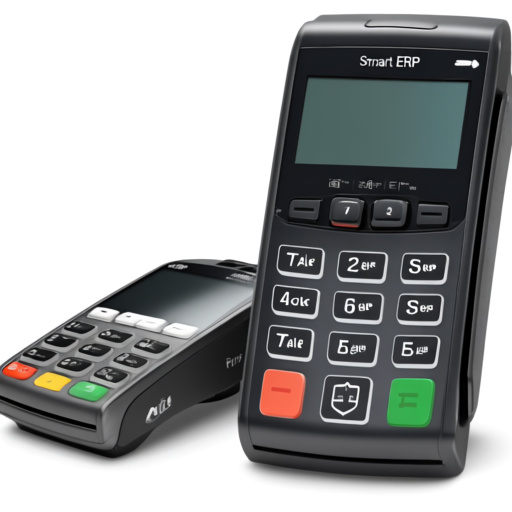
Integrating an Enterprise Resource Planning (ERP) POS system represents a significant upgrade for small retailers. It moves beyond basic transaction processing to a unified platform managing inventory, sales, customer data, and more. This guide breaks down the implementation process into manageable steps, paving the way for a more efficient and informed retail operation.
1. Define Your Business Needs and Goals
Before diving into software selection, a thorough assessment of current processes is crucial. What are the pain points? Where are inefficiencies costing time and money? Consider specific areas needing improvement: inventory management, sales reporting, customer relationship management (CRM), or accounting. Clearly defined goals will guide the ERP POS selection and implementation. For example, a retailer struggling with stockouts might prioritize modules focused on real-time inventory tracking and automated reordering. A business aiming for better customer loyalty might focus on CRM and marketing integration features.
2. Choose the Right ERP POS System
The market offers a diverse range of ERP POS systems. Evaluate options carefully based on your identified needs and budget. Consider factors like scalability, integration capabilities, user-friendliness, and vendor support. Look for systems that offer modules aligned with your business requirements. Some popular modules include:
- Inventory Management: Real-time tracking of stock levels, automated alerts for low stock, and integration with supplier ordering.
- Sales Management: Efficient point-of-sale transactions, support for various payment methods, and detailed sales reporting.
- Customer Relationship Management (CRM): Centralized customer data, personalized marketing, and loyalty program management.
- Accounting & Financial Management: Automated bookkeeping, financial reporting, and tax compliance.
- Reporting & Analytics: Customizable dashboards and reports to monitor key performance indicators (KPIs).
- Employee Management: Time and attendance tracking, payroll processing, and performance monitoring.
- E-commerce Integration: Seamless synchronization of online and offline sales data.
A small apparel boutique, for example, might find strong inventory management and CRM features particularly valuable, while a restaurant would prioritize order management and kitchen display system (KDS) integration.
3. Plan the Implementation Process
A successful implementation requires a structured plan. This involves:
- Data Migration: Carefully transfer existing data (customer information, product catalogs, historical sales) into the new system. Data cleansing and validation are essential.
- System Configuration: Customize the ERP POS to align with your specific business workflows. This includes setting up user roles, defining product categories, and configuring reporting parameters.
- Hardware Setup: Ensure all necessary hardware (terminals, barcode scanners, printers, etc.) are compatible and properly installed.
- User Training: Provide comprehensive training to all staff members on how to effectively use the new system. Effective training minimizes disruption and maximizes adoption.
4. Phased Rollout and Testing
A phased rollout minimizes risk and allows for adjustments. Start with a pilot program in a single store or department. This enables you to identify and address any issues before a full-scale deployment. Thorough testing is crucial at each stage to ensure data accuracy and system functionality. Involve users in the testing process to gather valuable feedback.
5. Go-Live and Ongoing Support
Once testing is complete and the team is trained, initiate the go-live process. Monitor system performance closely in the initial days and weeks. Establish clear channels for ongoing support from the ERP POS vendor. Regular software updates are important for security and feature enhancements. Proactive maintenance ensures the system continues to operate efficiently.
Integrating an ERP POS system is an investment in the future of your retail business. By following these steps, retailers can navigate the implementation process smoothly and reap the benefits of a more streamlined, data-driven operation.
Integrating Smart ERP POS with Existing Retail Systems and Technologies
A robust Enterprise Resource Planning (ERP) POS system isn’t an island; its true power lies in its ability to seamlessly integrate with the various systems a small business already uses. This integration unlocks significant efficiency gains and provides a holistic view of the operation. Successfully connecting the ERP POS to existing retail systems and technologies is crucial for maximizing the value of an ERP solution. Without thoughtful integration, businesses risk data silos and operational inefficiencies.
One of the primary integration points is with accounting software. A direct connection allows for automatic transfer of sales data, inventory adjustments, and customer payment information, streamlining financial reporting and reconciliation. This eliminates manual data entry, reduces errors, and provides real-time insights into the business’s financial health. For example, an ERP POS can automatically post sales transactions to QuickBooks or Xero, ensuring accurate financial records. This simplifies the month-end closing process and improves cash flow management.
Beyond accounting, integration with customer relationship management (CRM) systems is vital. Connecting the POS to a CRM allows businesses to capture valuable customer data – purchase history, preferences, contact details – directly at the point of sale. This data enriches customer profiles within the CRM, enabling more personalized marketing efforts and targeted promotions. Understanding customer buying habits empowers businesses to tailor their offerings and enhance customer loyalty. A freelance coffee shop, for instance, could use POS data in their CRM to identify customers who frequently purchase a specific type of latte and send them a targeted promotion for a new syrup flavor.
Inventory management forms another critical integration aspect. An ERP POS should connect with the inventory management module within the ERP system and potentially with other inventory tracking systems. Real-time synchronization ensures accurate inventory levels across all sales channels – both online and in-store. This prevents stockouts, minimizes overstocking, and optimizes inventory carrying costs. Furthermore, integration with shipping platforms allows for automated order fulfillment and tracking, enhancing the customer experience. Consider a small online retailer; seamless integration guarantees that website inventory reflects actual stock levels, preventing disappointed customers from ordering unavailable items.
Furthermore, integrating with e-commerce platforms is increasingly essential for businesses with both physical and online presences. This allows for a unified view of sales, inventory, and customer data across all channels. Orders placed online are automatically reflected in the POS system, and vice versa. This prevents discrepancies and provides a comprehensive overview of sales performance. Platforms like Shopify and WooCommerce often offer direct integration options with many ERP POS systems.
Another key technology to consider is loyalty program software. Integrating a loyalty program with the POS allows businesses to track customer points, redeem rewards, and personalize offers based on purchase history. This fosters customer retention and encourages repeat business. The system can automatically award points for purchases and allow customers to easily redeem them at the point of sale. This can significantly boost customer engagement and build brand loyalty.
Finally, integrating with payment gateways is a foundational element. A modern ERP POS system should support multiple payment options – credit/debit cards, mobile payments (Apple Pay, Google Pay), and potentially even cryptocurrency – and seamlessly process transactions through various payment gateways. Secure payment processing is paramount for protecting customer data and ensuring a smooth checkout experience. This requires adherence to industry standards like PCI DSS (Payment Card Industry Data Security Standard). Choosing an ERP POS with robust payment gateway integration simplifies the transaction process and enhances security. Data security is a major concern; therefore, choosing a provider with a strong security track record is imperative.
Advanced Strategies for Optimizing Your Smart ERP POS for Growth

Beyond the foundational modules, businesses can unlock significant growth potential by implementing more sophisticated strategies with their smart ERP POS system. These advanced tactics focus on leveraging data, automation, and integration to drive efficiency, enhance customer experience, and inform strategic decisions.
One powerful approach is data analytics and reporting. A robust ERP POS generates a wealth of data – sales trends, inventory levels, customer behavior, and more. However, raw data is only valuable when transformed into actionable insights. Implementing advanced reporting features, or integrating with business intelligence (BI) tools, allows businesses to visualize this data, identify patterns, and forecast future needs. For instance, analyzing sales data by product category and time of year can help optimize inventory stocking to avoid stockouts during peak seasons and minimize holding costs during slower periods. This capability isn’t just about looking backward; it’s about predicting and proactively adapting to market dynamics.
Another key strategy revolves around customer relationship management (CRM) integration. While a basic POS captures transaction data, integrating it with a dedicated CRM system provides a holistic view of each customer. This allows for personalized marketing campaigns, targeted promotions, and improved customer service. Imagine a scenario where a customer frequently purchases coffee and pastries. With CRM integration, the POS data can trigger an automated email offering a discount on their next order of a specific pastry, increasing customer loyalty and driving repeat business. According to HubSpot, businesses that utilize CRM see a 29% increase in sales. This demonstrates the tangible impact of combining POS data with customer insights.
Automated marketing workflows represent another avenue for growth. Many smart ERP POS systems offer capabilities to automate marketing tasks based on customer behavior and purchase history. This could include automated email sequences for abandoned carts, personalized recommendations based on past purchases, or loyalty program management. Consider a retail business that notices a customer consistently buys running shoes. An automated workflow could send them emails about new running shoe arrivals or related accessories, nurturing the customer relationship and encouraging further purchases. These automated touches improve efficiency and ensure relevant communication at the right time.
Furthermore, businesses can leverage inventory optimization techniques within their ERP POS. Advanced features often include demand forecasting, automated reorder points, and supplier management tools. By accurately predicting demand, businesses can minimize inventory holding costs, reduce waste from expired goods, and avoid lost sales due to stockouts. For example, a restaurant can use historical sales data to forecast ingredient needs, ensuring they have enough supplies without overstocking perishable items. The Food Industry Association reports that efficient inventory management can reduce food costs by as much as 20%.
Mobile POS (mPOS) enhancements can also contribute to growth. While basic mPOS allows for transactions on the go, advanced features can facilitate order taking in various locations – pop-up shops, events, or even outdoor markets. Seamless integration with the central ERP system ensures that all sales are recorded in real-time, providing an accurate overview of business performance. This flexibility expands sales opportunities and improves customer convenience.
Finally, integrating with third-party platforms like accounting software, e-commerce platforms, and shipping providers further streamlines operations and provides a more comprehensive business ecosystem. This interconnectedness reduces manual data entry, minimizes errors, and allows for a more efficient flow of information across different business functions. For example, automatically syncing sales data from the POS to accounting software simplifies financial reporting and reconciliation. Such integrations are crucial for scaling a business effectively.
Troubleshooting and Best Practices for a Seamless Smart ERP POS Experience
Implementing a smart ERP POS system offers significant advantages for small businesses, but even the most robust systems can encounter challenges. This section outlines common troubleshooting steps and best practices to ensure a smooth and efficient experience.
One of the frequent hurdles businesses face is integration. Connecting the ERP POS with other crucial systems like accounting software, customer relationship management (CRM), and e-commerce platforms is vital for data consistency. A common issue arises from incompatible APIs or data formats. To address this, thorough pre-implementation planning is essential. Businesses should verify API compatibility and ensure data mapping is accurately configured. Regular testing after integration is also crucial. For instance, a retail store might experience discrepancies between sales data in the POS and inventory levels in their accounting software if the integration isn’t properly set up. This can lead to inaccurate financial reporting and stockouts.
Another potential snag is system performance. Slow response times can frustrate both employees and customers. Several factors contribute to this, including insufficient hardware, network issues, or poorly optimized software. Regularly monitoring system performance is a proactive step. Businesses can utilize built-in monitoring tools or third-party applications to identify bottlenecks. Upgrading hardware, optimizing network connectivity, and ensuring the ERP POS software is up-to-date are effective solutions. According to Google research, faster load times can lead to a 32% reduction in bounce rates, highlighting the importance of performance.
User training is paramount for successful adoption. Even the most intuitive system will be ineffective if staff aren’t properly trained on its features and functionalities. Insufficient training can lead to errors in data entry, incorrect order processing, and overall inefficiency. A comprehensive training program should cover all aspects of the system, including daily operations, reporting, and troubleshooting basic issues. Ongoing refresher training and readily available support resources are also beneficial. A chocolate shop that didn’t adequately train its staff on inventory management features of their ERP POS experienced significant stock discrepancies and lost sales.
Data accuracy is another critical aspect. Inaccurate data, whether in product information, customer details, or sales transactions, can lead to flawed decision-making. Implementing data validation rules within the ERP POS system can help prevent errors during data entry. Regular data audits and cleansing processes are also recommended to identify and correct inaccuracies. For example, ensuring consistent product SKUs and accurate pricing across all channels is essential for maintaining reliable inventory and financial records.
Security is a non-negotiable concern for any business handling sensitive data. Smart ERP POS systems store valuable information, including customer payment details and sales history, making them potential targets for cyberattacks. Implementing robust security measures is crucial. This includes using strong passwords, enabling two-factor authentication, and ensuring the system is protected by firewalls and anti-malware software. Regular security audits and software updates are also essential to address emerging threats.
Here are some best practices for a seamless smart ERP POS experience:
- Plan thoroughly: Define clear business requirements before selecting and implementing an ERP POS system.
- Choose the right system: Select a system that aligns with the specific needs and scale of the business.
- Prioritize integration: Ensure seamless integration with other business systems.
- Invest in training: Provide comprehensive and ongoing training for all users.
- Monitor performance: Regularly track system performance and address any bottlenecks.
- Maintain data accuracy: Implement data validation and cleansing processes.
- Ensure robust security: Implement strong security measures to protect sensitive data.
By proactively addressing these potential challenges and implementing these best practices, small businesses can leverage the power of a smart ERP POS system to streamline operations, improve efficiency, and drive growth.