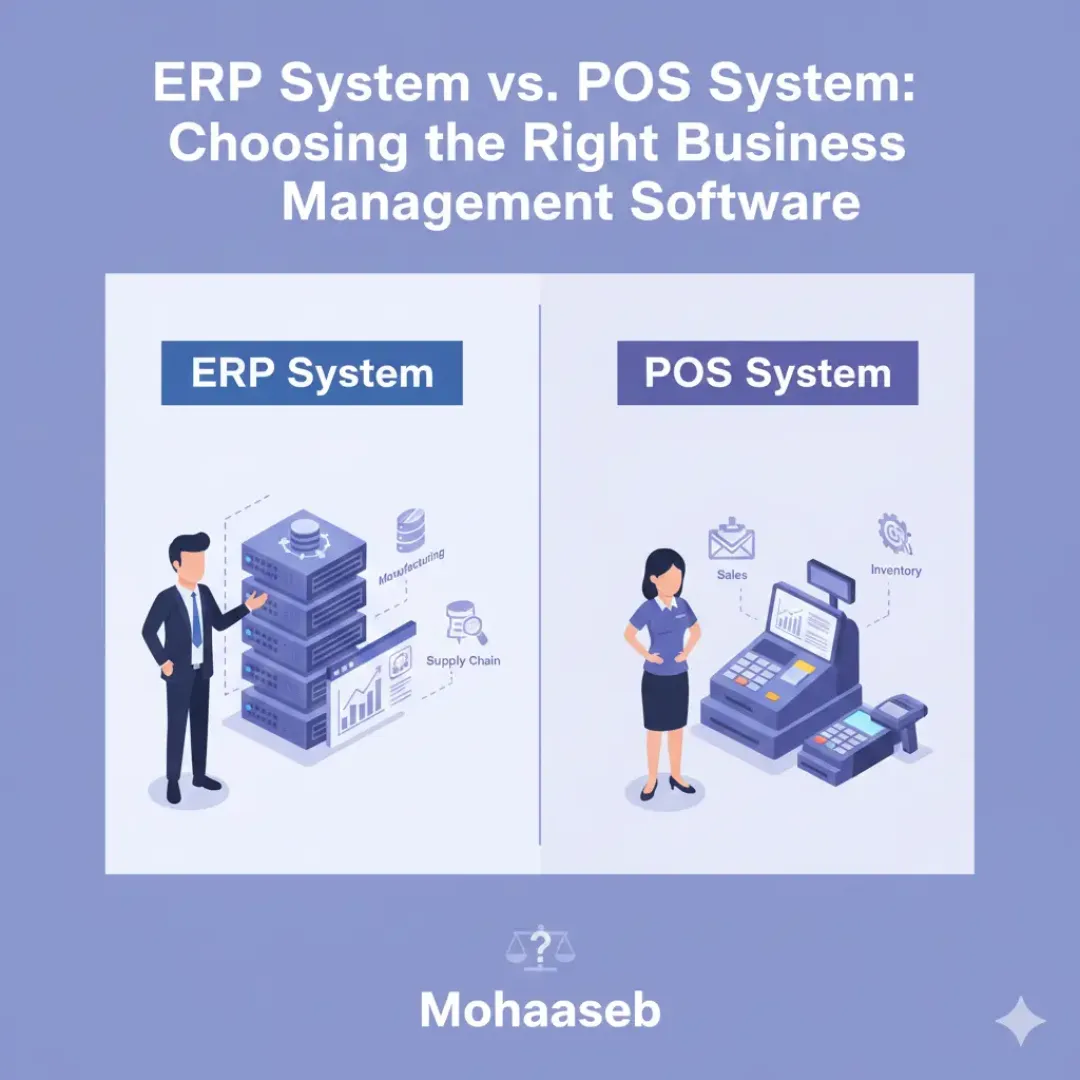
- ERP vs. POS: Defining the Core Differences in Business Management
- Understanding Key Features of Enterprise Resource Planning (ERP) Systems
- Exploring the Functionality and Benefits of Point of Sale (POS) Systems
- Integrating ERP and POS Systems: Streamlining Business Operations
- Choosing the Right Business Management Software: A Step-by-Step Guide
- Optimizing Your Business Management Software Investment: Best Practices
ERP vs. POS: Defining the Core Differences in Business Management
Understanding the distinction between an Enterprise Resource Planning (ERP) system and a Point of Sale (POS) system is crucial for businesses of all sizes. While both are software solutions designed to improve operational efficiency, they address fundamentally different aspects of business management. Often confused, these systems serve distinct purposes and cater to unique needs.
A POS system is primarily focused on facilitating transactions. Think of a retail store or a restaurant. The POS handles the immediate process of sales – ringing up purchases, processing payments (cash, credit/debit cards, mobile payments), and managing inventory levels at the point of sale. Key features of a POS include:
- Sales Processing: Recording and managing customer transactions.
- Payment Processing: Securely handling various payment methods.
- Inventory Management: Tracking stock levels and triggering reorder alerts.
- Customer Management: Capturing customer data for loyalty programs and marketing efforts.
- Reporting: Generating sales reports and analyzing trends.
For example, a coffee shop using a POS system can quickly record each order, manage its stock of beans and milk, and track daily revenue. This allows them to monitor popular items, predict inventory needs, and ultimately optimize their operations. The immediate focus is on the customer interaction and the financial transaction.
In contrast, an ERP system takes a much broader view of the entire organization. It’s designed to integrate and manage all facets of a business, from finance and accounting to human resources, supply chain management, manufacturing, and customer relationship management (CRM). An ERP acts as a central nervous system, connecting disparate departments and data streams into a unified platform. Core functionalities of an ERP system typically include:
- Financial Management: Managing accounting, budgeting, and financial reporting.
- Human Capital Management (HCM): Handling employee data, payroll, and benefits.
- Supply Chain Management: Optimizing procurement, warehousing, and logistics.
- Manufacturing Management: Planning and controlling production processes.
- Customer Relationship Management (CRM): Managing customer interactions and data across all channels.
Consider a manufacturing company. An ERP system would integrate production planning with inventory levels, material requirements, and financial cost tracking. This holistic view enables better forecasting, reduced waste, and improved overall efficiency. The emphasis here is on long-term strategic planning and operational oversight.
The difference boils down to scope. A POS system’s scope is primarily transactional and customer-facing, while an ERP system’s scope is enterprise-wide and encompasses all core business functions. While a POS system might feed sales data into an ERP, they are not interchangeable. A business might successfully operate with just a POS system, especially in its early stages. However, as the business grows and becomes more complex, the need for an ERP system to provide a comprehensive organizational view becomes increasingly apparent.
Businesses often realize the limitations of relying solely on a POS system as their needs evolve. For instance, managing inventory across multiple locations becomes cumbersome without the integrated capabilities of an ERP. Similarly, tracking project costs and profitability becomes challenging without a system that connects financial data with operational activities.
In essence, a POS handles the immediate exchange of goods or services for money, while an ERP manages the entire lifecycle of a business, providing a comprehensive framework for decision-making and growth. Choosing between the two isn’t always an either/or proposition; many businesses find value in integrating both systems to create a seamless and efficient operation.
Understanding Key Features of Enterprise Resource Planning (ERP) Systems
Enterprise Resource Planning (ERP) systems represent a fundamental shift in how businesses manage their operations. Unlike Point of Sale (POS) systems, which primarily focus on transaction processing at the retail level, ERP systems offer a comprehensive, integrated platform for managing all facets of a business. This holistic approach distinguishes ERP as a more robust solution suitable for organizations with complex needs. A key aspect of understanding ERP lies in recognizing its core features and how they contribute to overall efficiency and decision-making.
One of the central features of an ERP system is integrated data management. Instead of disparate systems holding isolated information – such as sales data in one platform, inventory levels in another, and financial records in a third – an ERP system centralizes all this data into a single repository. This eliminates data silos, reduces redundancy, and provides a unified view of the business. For example, a change in customer demand reflected in sales data automatically triggers updates in inventory management and production planning. This seamless flow of information is crucial for real-time insights and informed decisions.
Beyond data integration, ERP systems typically encompass a wide range of modules, each addressing a specific business function. Common modules include:
- Financial Management: This module handles accounting, budgeting, financial reporting, and asset management. It ensures accurate financial record-keeping and facilitates compliance.
- Supply Chain Management (SCM): SCM optimizes the flow of goods from procurement to delivery. Features include inventory control, demand forecasting, and logistics management. A manufacturing company, for instance, can use SCM to track raw material levels, plan production schedules, and manage shipping.
- Manufacturing: For businesses involved in production, this module manages the entire manufacturing process, from product design and bill of materials to production scheduling and quality control.
- Customer Relationship Management (CRM): While often considered a separate system, CRM modules within ERPs manage customer interactions, sales processes, and marketing campaigns, providing a comprehensive view of the customer lifecycle.
- Human Capital Management (HCM): This module manages employee data, payroll, benefits, talent acquisition, and performance management.
- Project Management: ERPs can also include tools to plan, execute, and track projects, ensuring they stay on schedule and within budget.
The benefits of these integrated features are significant. Organizations can streamline workflows, improve operational efficiency, and gain valuable insights into their performance. For instance, a retail company utilizing an ERP system can correlate sales trends with inventory data to optimize stock levels and avoid stockouts or excess inventory. This capability directly impacts profitability and customer satisfaction.
Furthermore, many modern ERP systems offer advanced functionalities such as business intelligence (BI) and analytics. These tools allow businesses to analyze data, identify trends, and make data-driven decisions. Real-time dashboards provide key performance indicators (KPIs) at a glance, empowering managers to proactively address potential issues and capitalize on opportunities. According to W3Techs data from October 2024, 43.4% of websites utilize some form of analytics, highlighting the growing importance of data-driven insights for businesses of all sizes.
The implementation of an ERP system is a significant undertaking. It requires careful planning, data migration, and user training. However, the long-term benefits of improved efficiency, better decision-making, and enhanced scalability often outweigh the initial investment. Businesses should carefully evaluate their specific needs and choose an ERP system that aligns with their strategic goals.
Exploring the Functionality and Benefits of Point of Sale (POS) Systems

A Point of Sale (POS) system is far more than just a cash register. It’s a comprehensive software solution that manages sales transactions, tracks inventory, and often integrates with other business operations. For businesses of all sizes, a robust POS system can significantly streamline workflows and provide valuable data insights.
At its core, a POS system facilitates the process of completing sales. This involves features such as scanning barcodes, processing various payment methods (credit/debit cards, mobile payments, gift cards), and generating receipts. Modern POS systems offer a user-friendly interface designed for speed and accuracy, reducing wait times for customers and minimizing errors. The ability to quickly ring up sales is fundamental, but the functionalities extend significantly beyond this basic function.
One key benefit of a POS system lies in its inventory management capabilities. Rather than relying on manual tracking, a POS system automatically updates stock levels as items are sold. This real-time inventory visibility helps prevent stockouts, reduces waste, and optimizes purchasing decisions. Businesses can set up alerts for low stock, allowing for timely replenishment. Furthermore, detailed inventory reports can identify slow-moving items and popular products, informing merchandising strategies. A retail store, for instance, can use POS data to understand which product categories are performing best during specific seasons and adjust their inventory accordingly.
Beyond sales and inventory, many POS systems offer customer relationship management (CRM) features. By capturing customer information during transactions, businesses can build customer profiles. This data can be used for targeted marketing campaigns, loyalty programs, and personalized customer service. A coffee shop, for example, might use a POS system to track customer purchase history and offer tailored promotions based on their favorite drinks. Loyalty points can be automatically awarded and redeemed through the system, fostering customer retention. The ability to segment customers based on purchasing behavior allows for more effective and efficient marketing efforts.
Furthermore, POS systems frequently integrate with accounting software, simplifying financial management. Sales data is automatically transferred to accounting platforms, reducing the need for manual data entry and minimizing the risk of human error. This integration streamlines bookkeeping processes and provides a clearer picture of the business’s financial performance. Businesses can generate reports on sales tax collected, revenue, and profit margins with ease. This seamless integration saves time and resources, allowing business owners to focus on growth.
The benefits of implementing a POS system are tangible. Businesses often experience increased efficiency, improved inventory control, enhanced customer service, and better financial reporting. A study by NCR Corporation found that businesses using POS systems reported an average increase of 15% in sales efficiency. This improvement stems from the reduced time spent on manual tasks and the ability to make data-driven decisions. Implementing a POS system is an investment that can yield significant returns for businesses across various industries.
There are different types of POS systems available, catering to various business needs and budgets. These include:
- Cloud-based POS: Hosted on remote servers, offering accessibility from anywhere with an internet connection. This typically involves a subscription fee.
- On-premise POS: Installed directly on the business’s computers, requiring more upfront investment but offering greater control over data.
- Mobile POS: Utilizing tablets or smartphones with barcode scanners and payment terminals for sales on the go. This is particularly useful for businesses with a mobile presence.
- Industry-specific POS: Designed for particular sectors like restaurants, retail, or hospitality, offering features tailored to their unique requirements.
Integrating ERP and POS Systems: Streamlining Business Operations
Businesses of all sizes rely on a suite of software to manage their daily operations. Often, the functions of managing inventory, sales transactions, customer data, and financial records are handled by separate systems. This can lead to inefficiencies, data silos, and a fragmented view of the overall business. Integrating an Enterprise Resource Planning (ERP) system with a Point of Sale (POS) system offers a powerful solution, creating a unified ecosystem that significantly streamlines operations.
Traditionally, ERP systems focus on back-end processes like accounting, human resources, and supply chain management. POS systems, on the other hand, are designed for the front-end, managing sales transactions at the customer point of interaction. While both are crucial, their separate existence can create bottlenecks. For instance, a sale made at the POS might not immediately update inventory levels in the ERP, leading to stockouts or inaccuracies. Similarly, sales data from the POS might not be readily available for comprehensive financial analysis within the ERP.
The benefits of integrating these two systems are multifaceted. One primary advantage is real-time data visibility. When integrated, sales data from the POS flows directly into the ERP system. This provides an instant and accurate view of sales performance, inventory levels, and customer purchasing patterns. This unified data empowers businesses to make more informed decisions regarding purchasing, marketing, and overall business strategy. Imagine a retail business utilizing this integration to identify fast-moving products and proactively reorder stock, minimizing lost sales and optimizing inventory costs.
Furthermore, integration automates numerous manual processes. Instead of manually entering sales data into the accounting system, the information is automatically transferred. This reduces the risk of human error, saves valuable time, and frees up staff to focus on more strategic tasks. For example, when a sale is completed at the POS, the transaction, including payment details, is automatically recorded in the ERP, updating sales records and triggering necessary accounting entries. This level of automation significantly improves operational efficiency.
Consider a scenario where a restaurant integrates its POS system with its ERP. Each order placed at the POS is instantly reflected in the ERP’s inventory, allowing for accurate tracking of ingredients. Sales data from the POS is automatically uploaded to the ERP’s accounting module, simplifying financial reporting and reconciliation. Moreover, customer data collected at the POS, such as purchase history and preferences, can be integrated into the ERP’s customer relationship management (CRM) system, enabling personalized marketing efforts.
Implementing ERP and POS integration isn’t without its considerations. Careful planning and choosing the right integration method are crucial. There are generally two approaches: direct integration, where the systems communicate directly, and integration through a middleware platform. Direct integration offers real-time data flow but requires significant technical expertise. Middleware platforms act as intermediaries, facilitating communication between disparate systems. A study by Nucleus Research in 2023 found that businesses utilizing middleware for system integration experienced a 25% reduction in integration time compared to direct integrations.
Before embarking on integration, businesses should clearly define their goals. What specific data needs to be shared? What processes need to be automated? A well-defined scope will ensure a smoother and more successful integration project. Furthermore, investing in proper training for staff on the integrated system is essential to realizing its full potential. While the initial investment in time and resources may seem significant, the long-term benefits of streamlined operations, improved data accuracy, and enhanced decision-making far outweigh the costs. The ability to access a holistic view of the business, from sales to financials, provides a significant competitive advantage in today’s dynamic marketplace.
Choosing the Right Business Management Software: A Step-by-Step Guide

Selecting the appropriate business management software is a crucial decision for any organization, impacting efficiency, organization, and ultimately, profitability. The choice between an Enterprise Resource Planning (ERP) system and a Point of Sale (POS) system often presents a significant hurdle. While both aim to streamline operations, they address different facets of business management. Understanding their core functionalities and how they align with specific business needs is the first step toward making an informed choice. This guide will walk you through the process, offering a step-by-step approach to identify the software best suited for your company.
1. Define Your Business Needs & Goals
Before exploring specific software options, a thorough assessment of your current business processes and future goals is essential. Consider what challenges your business is currently facing. Are you struggling with inventory management, financial reporting, customer relationship management, or all of the above? Identify pain points across departments, such as sales, marketing, finance, and operations.
Begin by mapping out your key business processes. Outline the steps involved in critical workflows, from order placement to fulfillment and customer support. This exercise will reveal areas where software automation could provide the most significant benefit. For instance, a retail business might prioritize POS features to manage transactions and inventory, while a manufacturing company would likely benefit more from an ERP system’s capabilities for production planning and supply chain management. Clearly defining goals—like increasing sales, reducing operational costs, or improving customer satisfaction—will help you evaluate potential solutions effectively. Consider both short-term and long-term objectives.
2. Understand Core Features: ERP vs. POS
A fundamental step is grasping the core strengths of each system.
Enterprise Resource Planning (ERP) Systems: ERP systems provide a centralized platform to manage all aspects of a business. Their comprehensive nature typically includes modules for finance, human resources, supply chain management, manufacturing, customer relationship management (CRM), and more. ERP systems are best suited for larger organizations with complex operations requiring integrated data and streamlined workflows. Consider the case of a manufacturing company, where an ERP might manage raw material procurement, production scheduling, quality control, and finished goods inventory – all within a single system.
Point of Sale (POS) Systems: POS systems are specifically designed for processing sales transactions and managing customer interactions at the point of sale. They typically include features like payment processing, inventory tracking, customer management, and reporting. POS systems are ideal for retail businesses, restaurants, and other businesses that directly interact with customers to facilitate sales. Small boutiques, cafes, and online stores often rely heavily on POS systems for their day-to-day operations. According to W3Techs data from October 2024, approximately 43.4% of websites utilize e-commerce functionalities, many of which are integrated with POS systems for omnichannel sales management. This integration allows businesses to track sales across all channels.
3. Assess Scalability and Integration Needs
Consider the future growth of your business. Will your software be able to accommodate increased transaction volumes, expanding product lines, or additional locations? Scalability is a key factor to evaluate.
Furthermore, assess the need for integration with existing systems. Do you already use accounting software, marketing automation tools, or e-commerce platforms? The chosen software should seamlessly integrate with these tools to avoid data silos and ensure data consistency. Look for software offering API (Application Programming Interface) capabilities for smooth integration. Integration capabilities are crucial for maximizing efficiency and avoiding manual data entry.
4. Evaluate Cost and Implementation
Software costs vary significantly depending on the features, number of users, and deployment method (cloud-based vs. on-premise). Cloud-based solutions typically involve subscription fees, while on-premise solutions require a larger upfront investment. Consider both the initial purchase price and ongoing maintenance costs.
Implementation time and effort are also critical considerations. Implementing an ERP system can be a complex and time-consuming process, often requiring significant internal resources and potentially external consultants. POS systems generally have a quicker implementation timeline. Research the software vendor’s implementation process and available support resources. A well-defined implementation plan is essential for a smooth transition.
5. Research and Compare Software Options
Once you have a clear understanding of your needs and the core features of ERP and POS systems, begin researching specific software options. Read reviews from other businesses in your industry. Check out industry reports and analyst evaluations.
Don’t rely solely on marketing materials. Look for independent reviews and case studies that provide realistic insights into the software’s capabilities and limitations. Consider Request for Proposals (RFPs) to gather detailed information and compare pricing.
6. Testimonials & Case Studies: Real-World Insights
Reviewing case studies provides valuable insights into how other businesses have successfully implemented and utilized specific software. Look for examples of companies similar to yours that have achieved measurable results. For example, a small retail chain might have used a POS system to reduce checkout times by 20% and improve inventory accuracy. These real-world examples offer practical guidance and help you envision the potential benefits of each solution. Remember, a robust case study will detail the challenges faced, the solutions implemented, and the quantifiable outcomes achieved.
By following these steps, businesses can navigate the complexities of choosing the right business management software, ensuring a solution that aligns with their current needs and supports their future growth.
Optimizing Your Business Management Software Investment: Best Practices
Investing in business management software is a significant decision. To ensure a strong return on that investment, careful optimization is crucial. This section outlines best practices for maximizing the value derived from your chosen ERP or POS system.
One of the foundational steps in optimization is thorough data management. Clean, accurate data is the lifeblood of any business management system. Regularly audit your data for duplicates, inconsistencies, and outdated information. A well-maintained database leads to more reliable reporting, better forecasting, and improved decision-making. Consider implementing data validation rules within the software to prevent errors at the source. For example, a retail business can enforce rules to ensure all product SKUs are unique and that inventory levels are updated with each transaction.
Beyond data hygiene, understanding and leveraging the software’s features is paramount. Many systems offer a range of functionalities that may not be immediately apparent. Dedicate time to explore the different modules and their capabilities. This might involve attending webinars, utilizing the software’s built-in help resources, or engaging with the vendor’s support team. A small manufacturing company, for instance, unexpectedly discovered a real-time production tracking feature within their ERP system, allowing them to identify bottlenecks and improve efficiency. This highlights how unexplored features can deliver significant value.
Customization and configuration play a vital role in tailoring the software to your specific business needs. Avoid a one-size-fits-all approach. Evaluate the system’s configuration options to align workflows with your internal processes. This may involve setting up custom fields, defining specific user roles and permissions, or configuring automated tasks. Proper configuration can streamline operations and reduce manual effort.
The integration of your business management software with other tools is another critical aspect of optimization. Seamless integration with accounting software, CRM platforms, and e-commerce systems can eliminate data silos and create a more holistic view of your business. For example, integrating a POS system with an accounting platform automates sales data transfer, reducing manual data entry and minimizing errors. Consider using APIs (Application Programming Interfaces) to facilitate these integrations.
Regular user training is indispensable. Even the most powerful software is ineffective if users don’t know how to utilize it properly. Provide comprehensive training to all employees who will interact with the system, and continue to offer refresher courses as new features are introduced or processes change. According to industry reports, companies that invest in ongoing user training see a 20-30% increase in software utilization. This ensures that everyone is comfortable and proficient in using the system’s functionalities.
Finally, continuously monitor and analyze your software’s performance. Track key metrics such as transaction times, report generation speed, and data accuracy. Identify areas for improvement and proactively address any issues. Many business management systems offer reporting and analytics dashboards that can provide valuable insights into system performance. This ongoing assessment ensures that your investment in business management software continues to deliver maximum value over time.